Receive in non-inventory PO
1. Hit the 3 lines at the top left and go to Purchase Request and Orders -> Purchase Orders
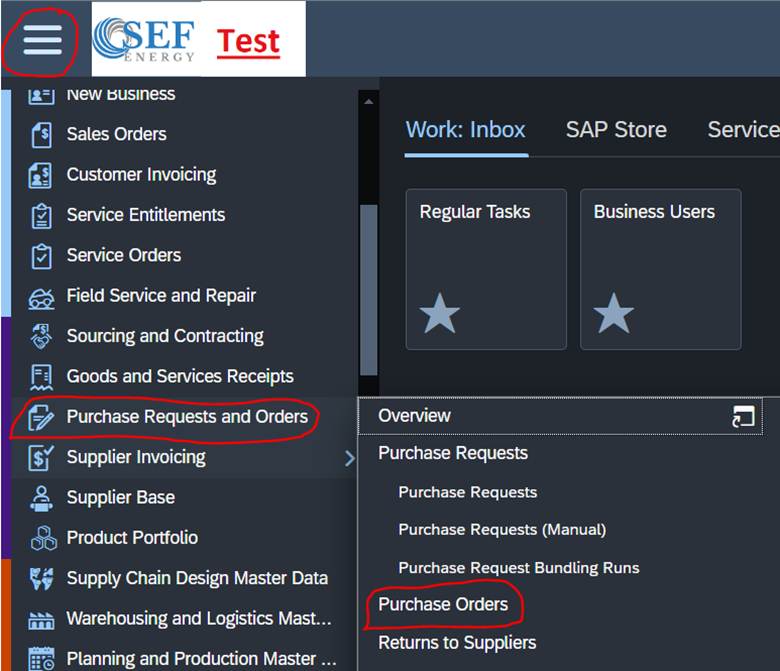
2. You will then search for the PO you are trying to receive in

3. Now click New Goods and Services and Receipt

4. You will now verify that all the information looks correct and then click Post
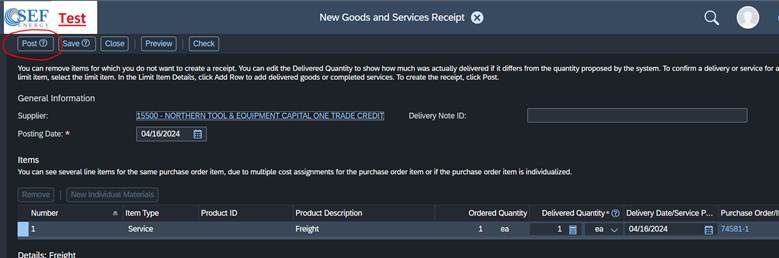
5. After this it will be with accounting and there is nothing left to do with this PO
Was this article helpful?
That’s Great!
Thank you for your feedback
Sorry! We couldn't be helpful
Thank you for your feedback
Feedback sent
We appreciate your effort and will try to fix the article