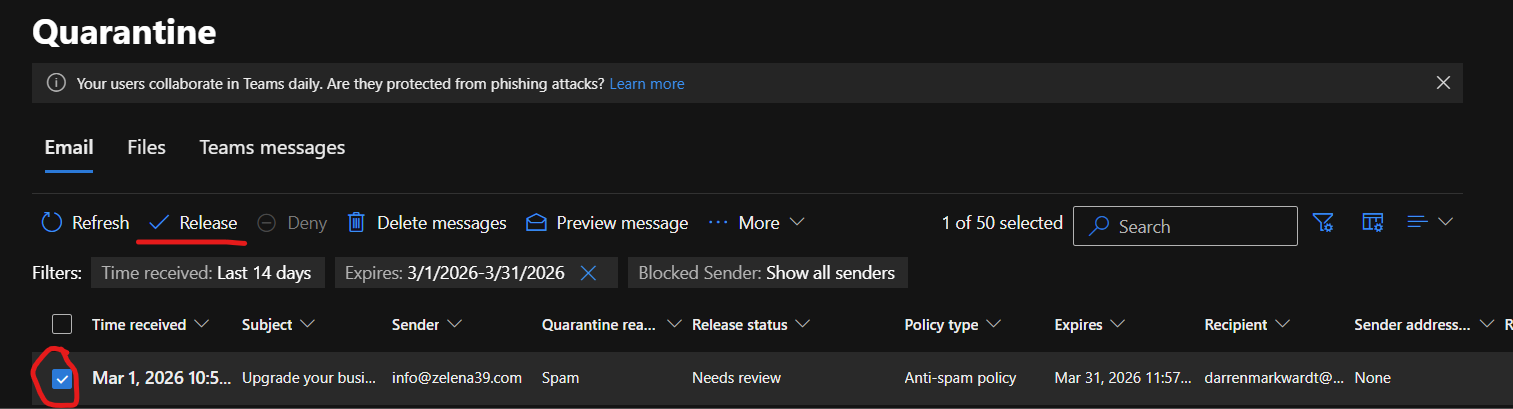
1. You will go to the Quarantine email page here - https://security.microsoft.com/quarantine
2. You can check based on a time range, sender, subject, and other criteria
3. Once you find the email you are looking for you check it an then click release and it should show up in your inbox. You can also click into the email and get some more details, if it is already delivered it should tell you which folder or other location it may be at
Was this article helpful?
That’s Great!
Thank you for your feedback
Sorry! We couldn't be helpful
Thank you for your feedback
Feedback sent
We appreciate your effort and will try to fix the article