Cancel Sales Order with Fixed Price without actuals Steps
1. You will first need to verify with Shellie that its ok to cancel the invoice, if its ok to cancel then you will go into the invoice and click cancel and once it brings you to the next screen you will release the cancellation invoice. The invoice is now cancelled and you will see release discarded as status.
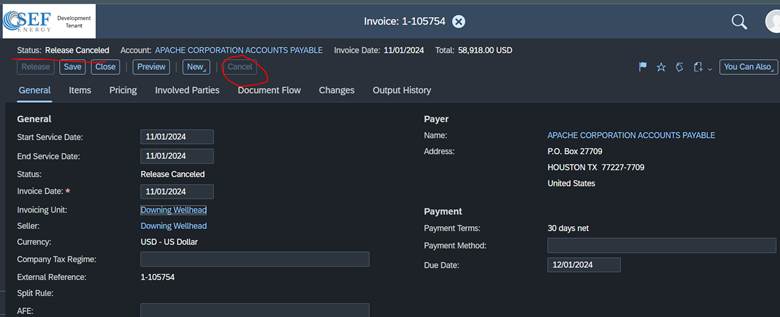
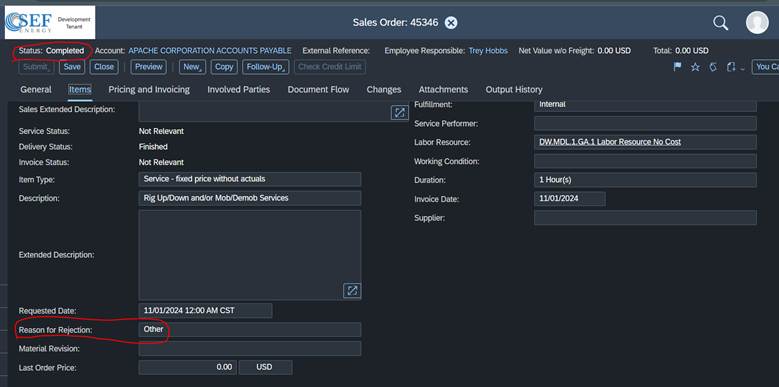
2. Once the invoice is cancelled you can then modify the Sales Order. If you messed up on the requested dates or other dates you will need to reject those lines and add them back with the correct date. If you are cancelling the whole sales order you will also reject the lines by entering a reason for rejection
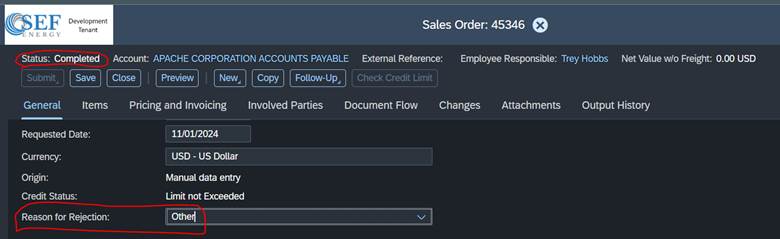
3. You will also enter reason for rejection on the General tab for the whole document and this will cancel the sales order.
Was this article helpful?
That’s Great!
Thank you for your feedback
Sorry! We couldn't be helpful
Thank you for your feedback
Feedback sent
We appreciate your effort and will try to fix the article