Update Sales Order
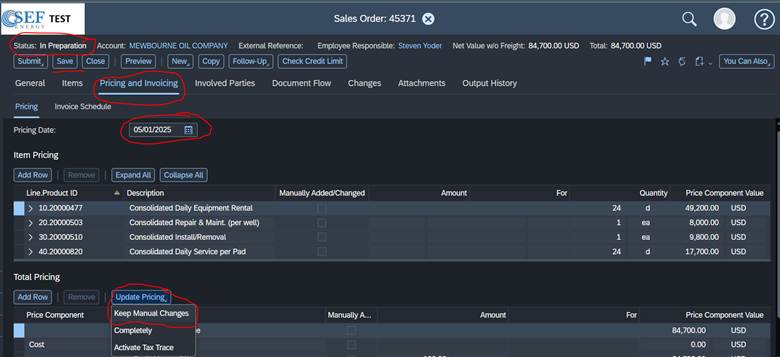
It will be in the Pricing & Invoicing tab and the status has to be in the Status “In Preparation” to be able to update them.
You will go to the order and go to View All.
Go to the Pricing and Invoicing Tab and change the pricing date to today’s date and then go click update pricing – Keep manual changes and it should update the freight. After this the new charge per pound will be there. Then click Save
Sales Order Example
Was this article helpful?
That’s Great!
Thank you for your feedback
Sorry! We couldn't be helpful
Thank you for your feedback
Feedback sent
We appreciate your effort and will try to fix the article