In whichever work center you are in. The example screenshots are for Production Orders.
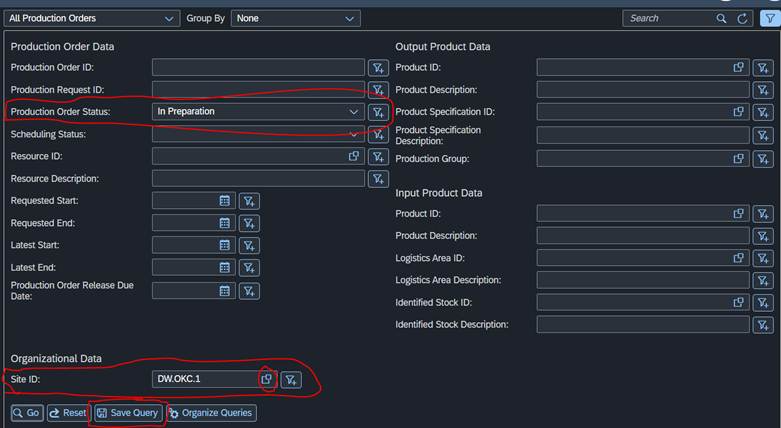
Changed the dropdown to All and click the Filter button on the right side by the search bar

You will set the filters you want to use - most searched ones are best to save Queries - Click Save Query
Now you will name it what you would like EX: OKC Production Orders, leave the Execute Query on selection checked so it will enter automatically. If this is what you normally use you can go ahead and check the Use As Default Query and it will use this new Query automatically when you go to this page. Then click Ok
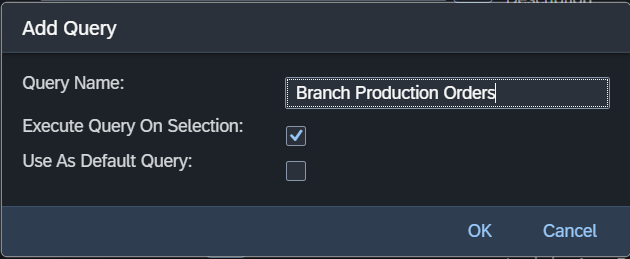
The new query will now appear in the dropdown for you to select - if you set it as default it will be the one to appear when you go to that work center
Was this article helpful?
That’s Great!
Thank you for your feedback
Sorry! We couldn't be helpful
Thank you for your feedback
Feedback sent
We appreciate your effort and will try to fix the article