You can send a ticket in to support@sefenergy.freshdesk.com and we can enter the substitution
You can also do it yourself by doing the below
- Select the "Home" Work Center
- Select the "Self-Services" view
- Under "Time" select "Edit Task Substitutions"
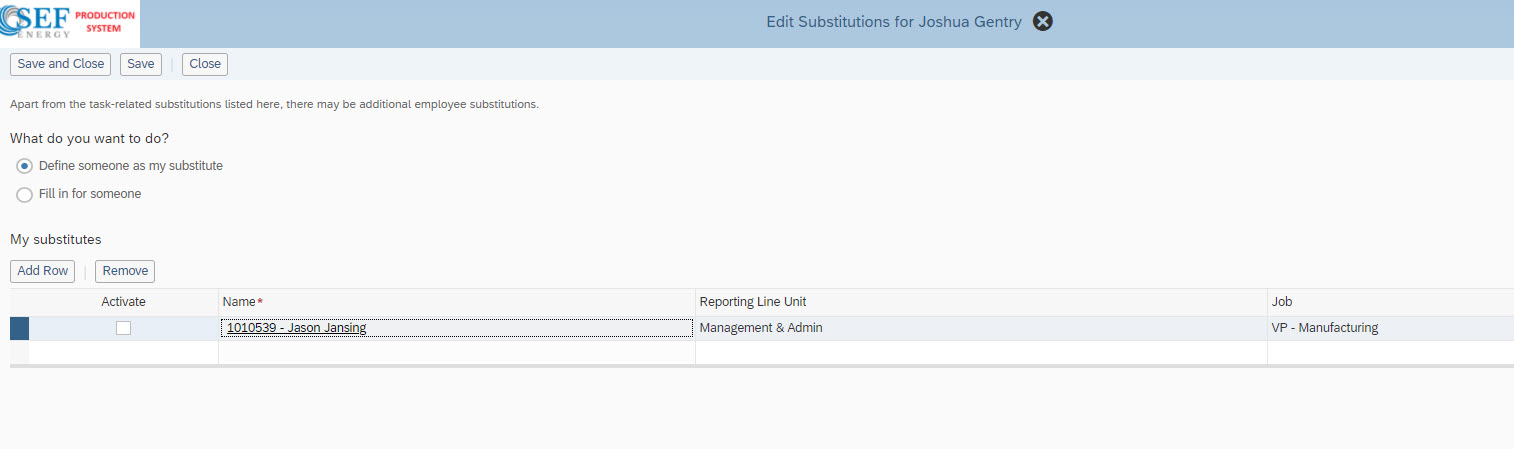
- Click the "Add Row" on the "Edit Substitutions for XXXXXXXXXXX" Page
- Fill in the Name & then select the "Activate" check mark to activate them
Was this article helpful?
That’s Great!
Thank you for your feedback
Sorry! We couldn't be helpful
Thank you for your feedback
Feedback sent
We appreciate your effort and will try to fix the article