Direct to Equipt Homepage
Go to https://portal.equipt.ai/ and on that screen click Continue with SAML SSO and enter downing as the brand and click continue with SAML SSO again. You will then enter your Microsoft login information. Equipt will then email you a code to enter. After the code is entered you should be logged in.
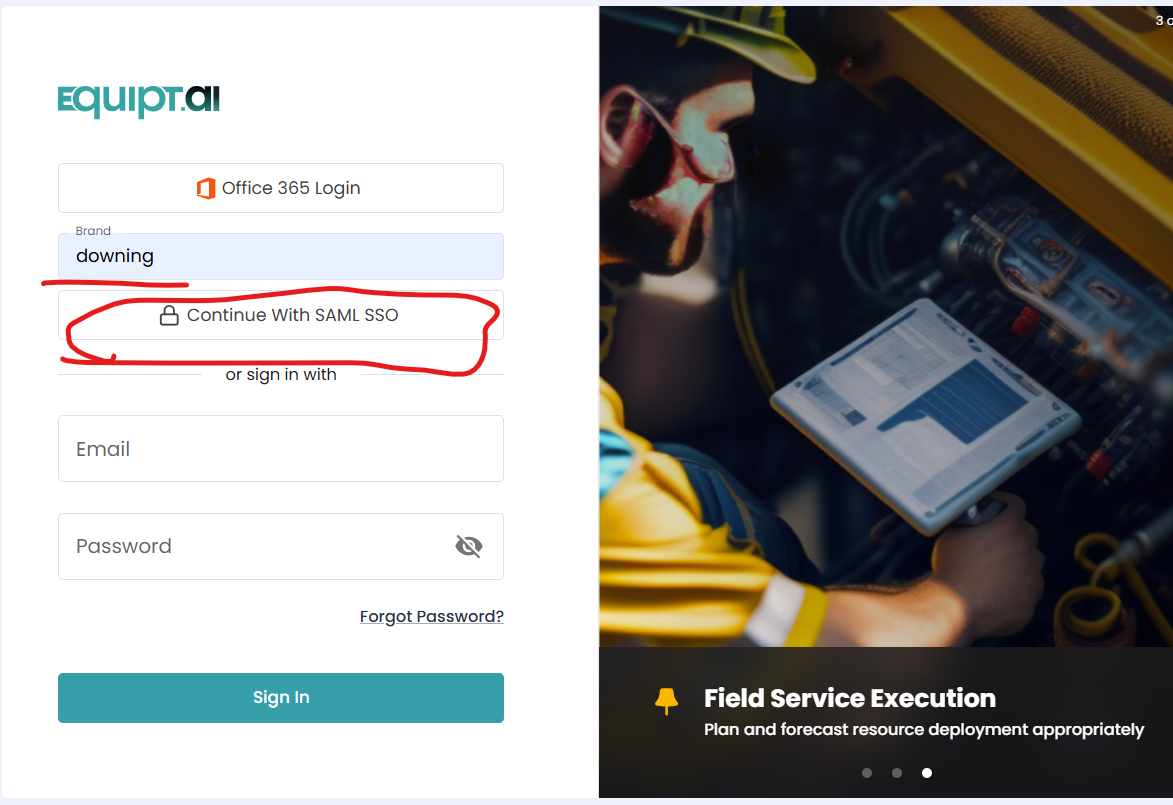
My Apps SSO login
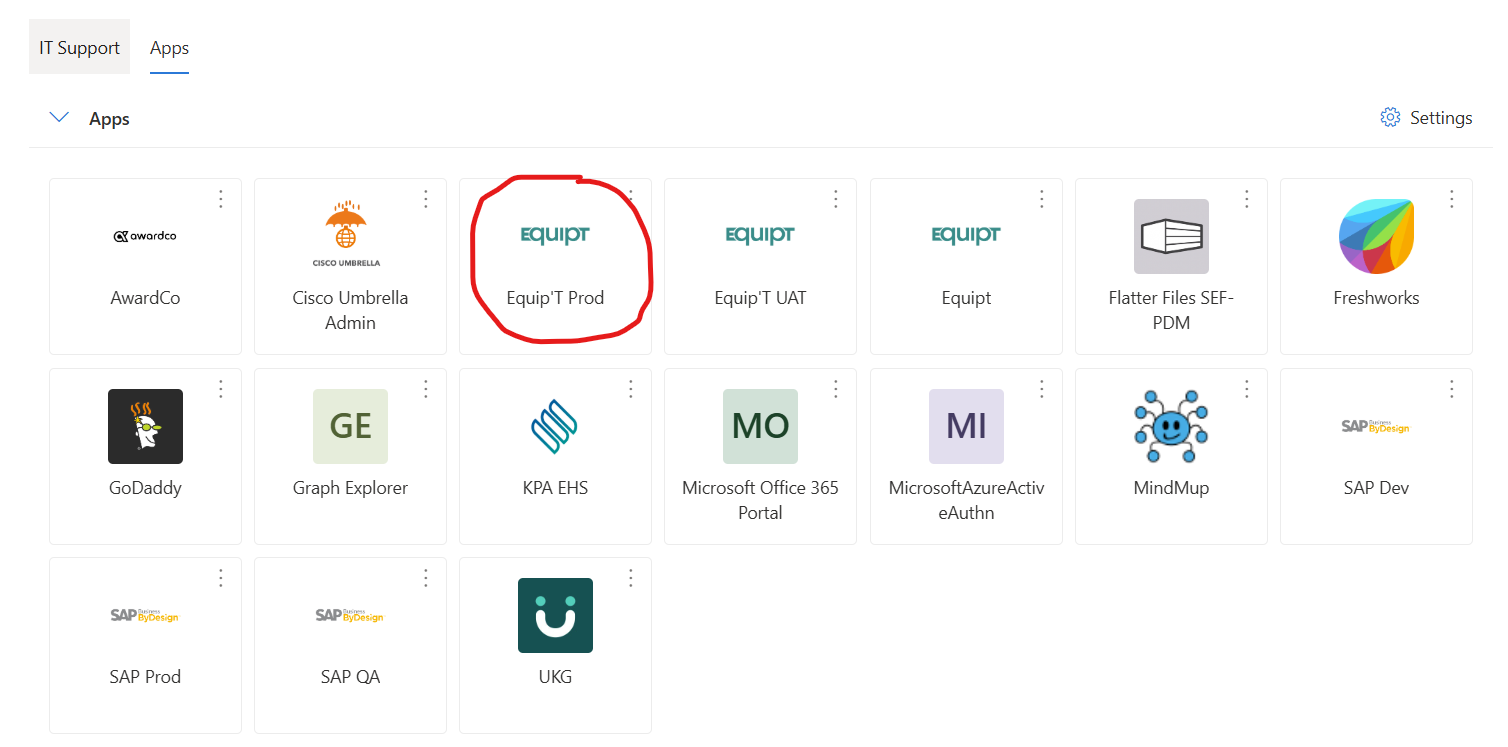
Link to My Apps Page - https://myapplications.microsoft.com/
You will click Equipt Prod and it will take you to the homepage - Equipt will most likely email you a verification code to enter
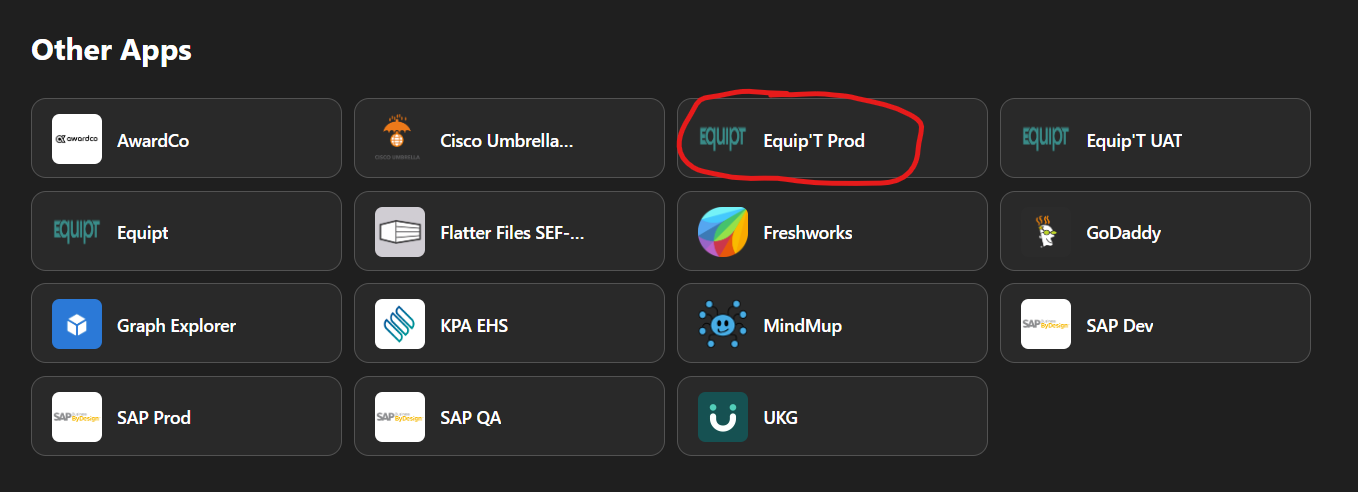
All Apps SSO Login
Link to All Apps Page - https://m365.cloud.microsoft/apps/
Under Other Apps, you will click Equipt Prod and it will take you to the homepage - Equipt will most likely email you a verification code to enter
Was this article helpful?
That’s Great!
Thank you for your feedback
Sorry! We couldn't be helpful
Thank you for your feedback
Feedback sent
We appreciate your effort and will try to fix the article