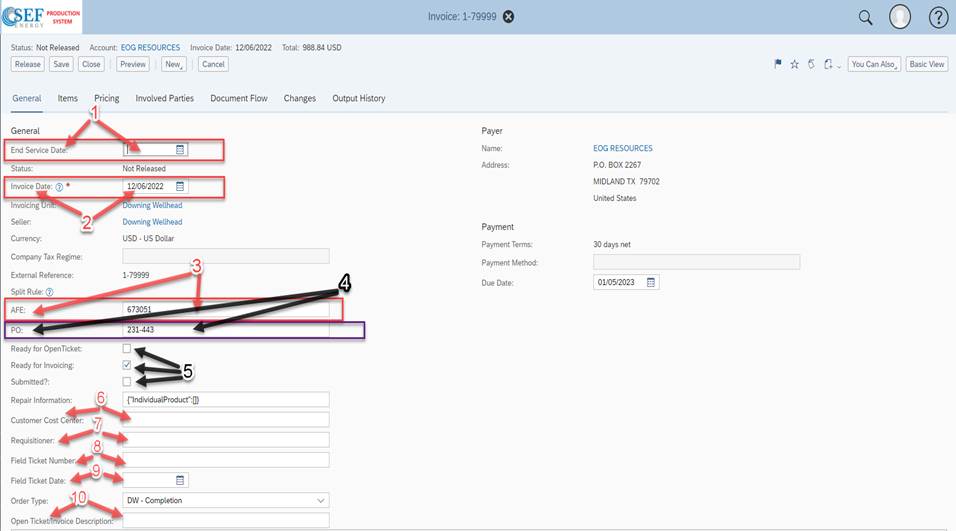
1. End Service date: Enter the last date of service or rental in this field.
2. Invoice date: Update this field to the date that the invoice is being marked ready for invoicing.
3. AFE: Enter AFE number ONLY in this field (it will not upload if any other number is in this field).
4. PO: Enter PO number ONLY in this field (it will not upload if any other number is in this field).
5. a) Ready for Open Ticket: checkmark this field when ready to be sent to Open Ticket
b) Ready for Invoicing: checkmark this field when all requirements have been completed to send to accounting
c) Submitted: This is a field for accounting to mark after reviewing invoice and sending to customer
6. Customer Cost Center: Only enter in this field if there is a customer cost center provided. Open Ticket primarily
7. Requisitioner: Enter the person who requested the work in this field. It must be completed for every invoice.
8. Field Ticket Number: Enter reference number from field ticket, sales order, or order confirmation starting with SO or FSO
followed by the number.
9. Field Ticket Date: Enter the date of service/sales or last day of rental.
10. Open Ticket/Open Invoice/ Invoice Description: Enter service provided or sales description of invoice on all invoices
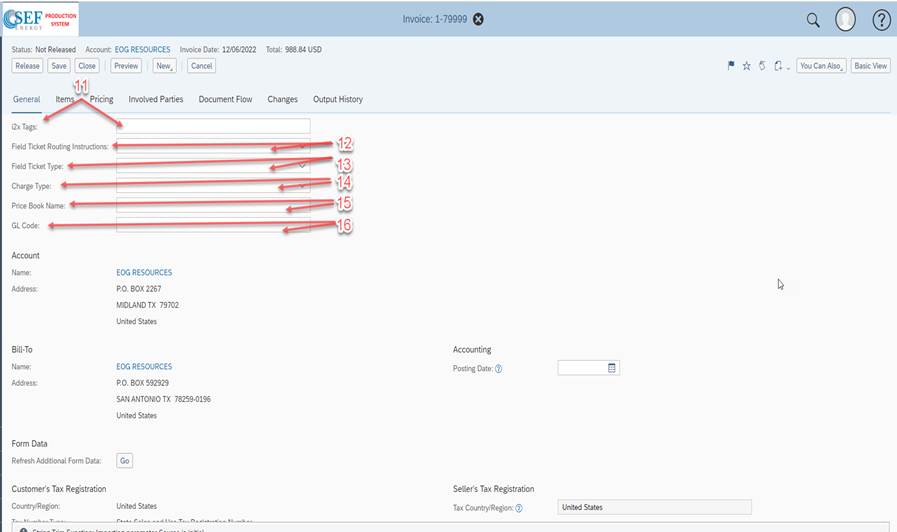
11. I2X Tag: The i2x tags field will be used for Business Unit or Area if the ticket requires one of them. They use this
format by inputting what you want after the colon.
[#BUSINESSUNIT:]
[#AREA:]
12. Field Ticket Routing Instructions: Set to save for now
13. Field Ticket Type: Use drop down to select the type of ticket you are sending Open Ticket. (example: LEM is labor, Equipment,
and Material).
14. Charge Type: Use drop down to make selection.
15. Price Book Name: Field for the price book in open ticket/open invoice
16. GL Code: Field to be used for Major/ Minor/ Sub and GL Codes
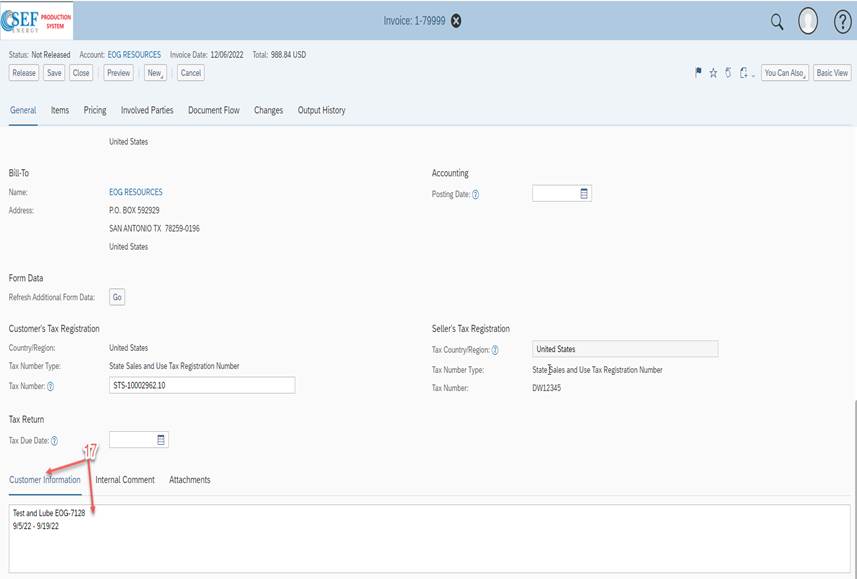
17) Customer Information: This is to be used for any information you need the customer to see. This will print on the invoice
Directly above line items being charged.
**If you need additional information Please contact Trey Hobbs, Shellie Ashworth or Lisa Hoffman**
Was this article helpful?
That’s Great!
Thank you for your feedback
Sorry! We couldn't be helpful
Thank you for your feedback
Feedback sent
We appreciate your effort and will try to fix the article