To clear the cache in Chrome/Edge, please follow the steps below:
First open Chrome/Edge, and press Ctrl+Shift+Del to open the following page (screenshot is Chrome):
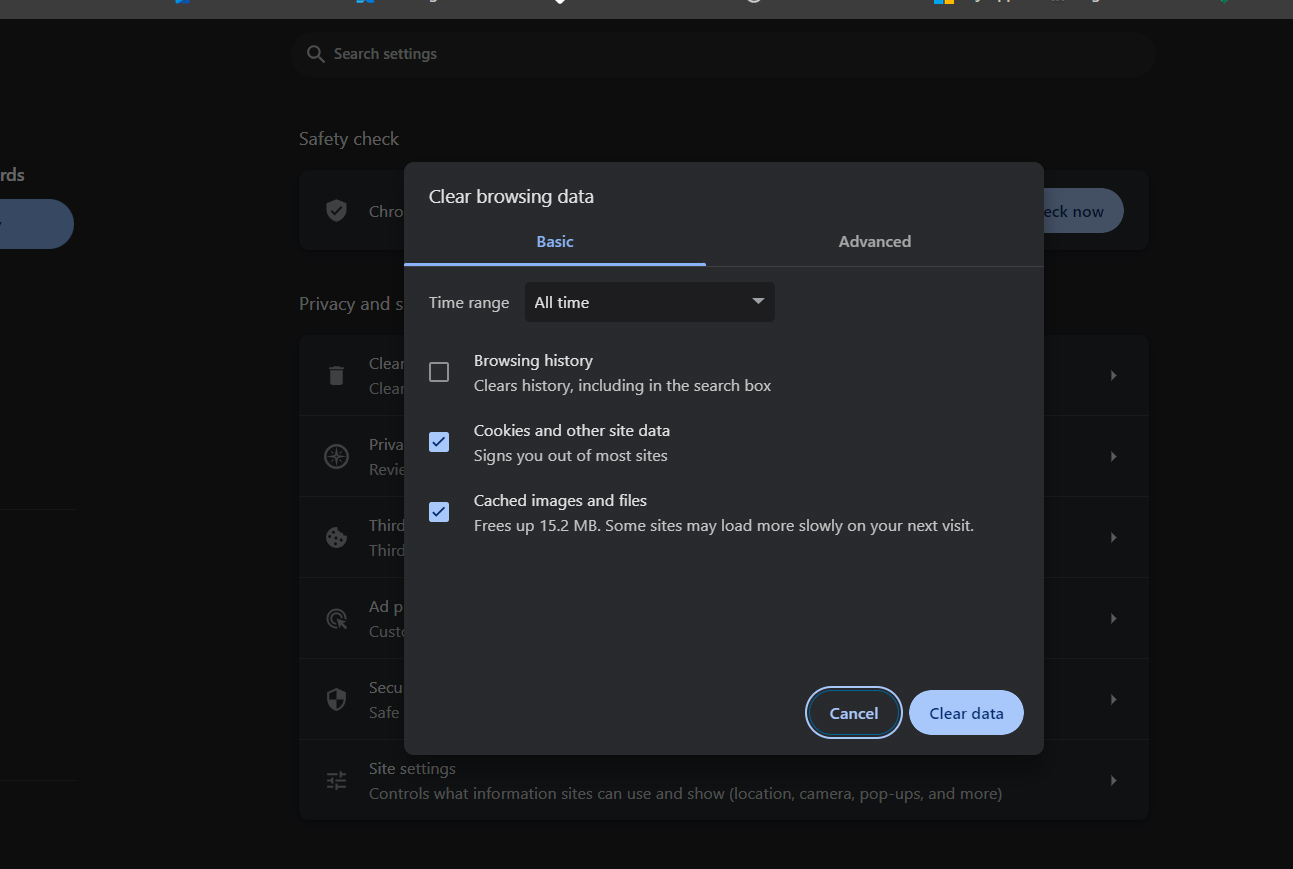
Select All time for the Time range, check Cookies and other site data and Cached images and files, the click Clear data. You may also need to close and reopen Chrome/Edge to clear remaining cached files.
Was this article helpful?
That’s Great!
Thank you for your feedback
Sorry! We couldn't be helpful
Thank you for your feedback
Feedback sent
We appreciate your effort and will try to fix the article